Developer tooling · v0.1.0

Panama

Per-branch control of docker, git worktrees and GitHub issues. A CLI and a desktop app over one core.

Pre-release · not yet tested beyond its authorWindows · macOS build untried≈10,400 lines
01

The problem

A branch is the unit of work. It is not the unit of tooling.

Git gave you cheap parallel worktrees. Nothing else came with them. The container, the ports, the environment, the health check, the issue you are working from — all of it stays in your head, or in a terminal you left open three days ago.

Which one

Three worktrees, three stacks, six containers with generated names. Which one belongs to the branch you are looking at?

Which env

Is this container running with the branch's variables, or the ones you exported into a shell last Tuesday?

Which file

Every worktree has its own compose file. Every one is a different path. Tab completion is not a workflow.

02

The proposition

Pick a branch, and you have picked everything attached to it.

Panama makes the branch the selection. Choosing one in the sidebar selects its worktree, the docker file inside that worktree, the container it talks to, the environment it runs with, and the issues it is work for. One click moves all of it together. Every project in the sidebar carries its own control for opening a new branch beneath it, so creating one never means first switching to the right repository.

# the same selection, from either side
panama branch use feat/token-refresh
panama docker up          · resolves this branch's compose file
panama test               · runs your script with this branch's env
panama issues             · this repository, this branch's context

The status strip along the bottom of the app answers the question that costs the most when guessed wrong: which branch's environment is the thing you are about to click going to touch.

03

The design position

It holds a path, not your instructions.

Most tooling in this space wants to become the source of truth — import your config, own it, hand it back through a UI. Panama declines. A project declares one path, relative to a worktree. Panama resolves it, checks the file is actually there, and runs it from where it lives. What is inside that file is never read, never stored, never rewritten.

project declares one relative pathdocker-compose.ymlinherited byinherited bybranch · feat/token-refresh~/work/feat-token-refreshbranch · fix/port-clash~/work/fix-port-clashjoins ontojoins onto…/feat-token-refresh/docker-compose.yml…/fix-port-clash/docker-compose.yml● present — run it here○ missing — say so, run nothing
One declaration, resolved per worktree. Panama's entire responsibility on this path is arithmetic and an existence check. A branch may override the relative path; otherwise it inherits.
04

The home screen

Every container, and the branch it came from.

Attribution is derived, not recorded. Panama passes a compose project name that is a pure function of project and branch, so the mapping survives restarts with nothing stored. Containers it did not start are listed and labelled honestly rather than hidden or guessed at.

Every card carries its own start, stop and restart. Those act on a container id rather than a compose project, which is what lets them work on the containers Panama never started — and what keeps them honest about their reach: stopping one member of a stack leaves its siblings running. Taking a whole stack down is still a branch action.
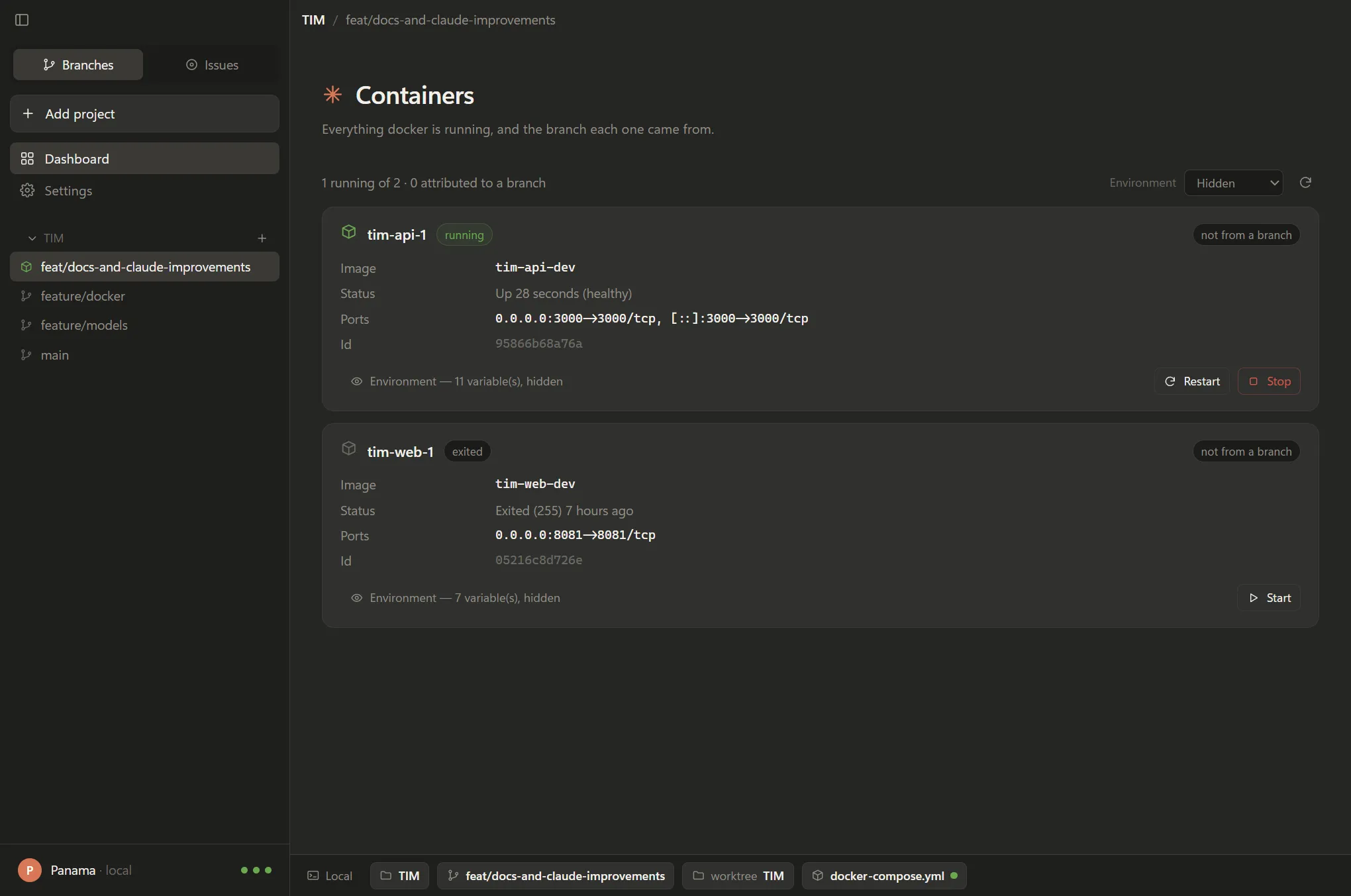
The Panama dashboard listing two containers. tim-api-1 is running and carries Restart and Stop buttons; tim-web-1 is exited and carries a Start button. Both are labelled not from a branch, and their environment variables are hidden.
The dashboard, running. The running container offers Restart and Stop; the stopped one offers Start. Neither was started by Panama, so both say so — and the environment stays hidden until asked for.
05

Environment visibility

Deny by default, because this is the screen people share.

Container environments routinely carry credentials, and a dashboard is the thing most likely to be on a call. So nothing is revealed until someone chooses it — and at the most permissive setting, names that look like secrets are still masked unless explicitly allowlisted.

ModeShowsDATABASE_PASSWORD
hidden defaultA count only — “5 variables, hidden”A count is not the same as “none set”, and the difference matters when you are checking whether config landed. not shown
keysVariable names, never values masked
allowlistOnly names you list, in full — PORT, APP_* masked
allEverything still masked

The last row is the one that matters. “Show me everything” is a request to see configuration, not a request to put a password on a projector. Allowlisting a name is the only way past it.

06

Credentials

There is no token in the config file, because there is no token.

GitHub

Issues go through the gh CLI. Authentication is whatever gh auth login already established on that machine — Panama never sees it, never stores it, and has nothing to rotate when it changes.

Claude

Summaries and the skill runner shell out to the claude CLI, which already holds the user's Claude Code session. No API key is entered anywhere in the app.

The trade is honest and worth stating: this makes Panama dependent on two binaries being installed and logged in, and it means the tool inherits whatever those sessions can reach. In exchange, a stolen config file yields a list of file paths.

07

Renaming a branch

The old branch is deleted only after the remote confirms the new one.

Renaming a pushed branch is four operations, one of which is destructive. A push can report success without landing — a rejecting hook, a proxy, a half-configured mirror — and deleting on the strength of that report takes the only remaining copy with it. So Panama asks the remote directly before it removes anything.

step 1rename locallystep 2push new namethe gategit ls-remoteis it really there?yesstep 4 · destructivedelete old remotepush failsroll the local rename backrepository left exactly as foundnot foundstop — delete nothingboth copies survive; report itThe branch's docker path, container, environment and worktree move with it.
Verified before destructive. The rollback and the refusal-to-delete were both exercised against a real remote configured to reject pushes; in that test the repository and its config came back unchanged.
08

Issues

The issue, the summary, and the branch it becomes.

Issues are listed per branch. Opening one can start a Claude summary that streams in as it is written; where Claude is not set up, the panel says exactly what is missing and links to the settings rather than failing quietly. Summaries are cached per issue, so reopening a row does not silently spend another call.
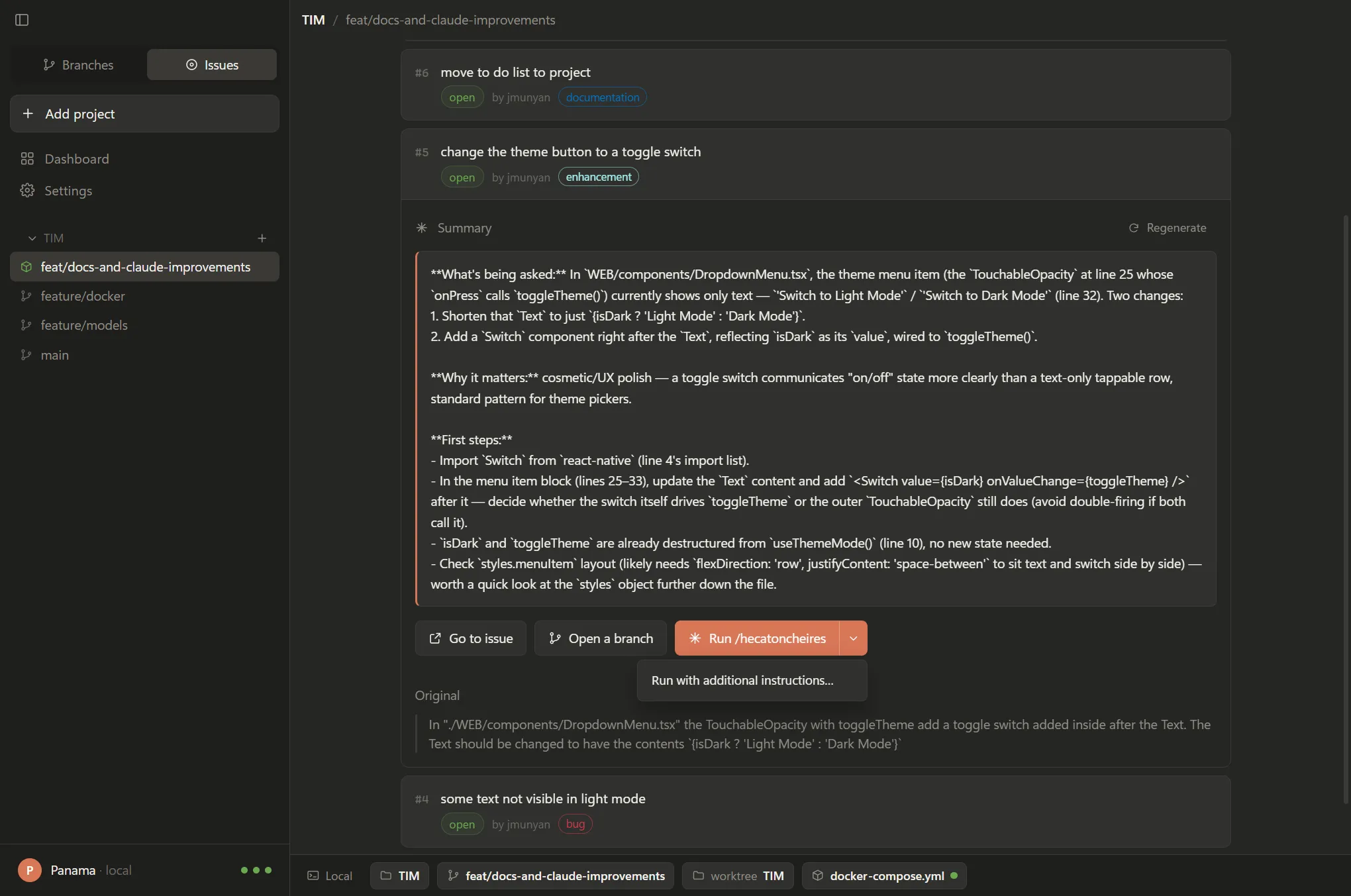
An expanded GitHub issue in Panama showing a generated summary, then Go to issue, Open a branch, and a Run /hecatoncheires split button whose caret menu is open on Run with additional instructions.
An issue expanded. Below the summary: Go to issue, and Open a branch pre-filled with a Conventional Commits name derived from the issue and its labels. A third button runs a named Claude skill inside that branch's worktree — and stays hidden unless the feature is switched on and a skill is named. Its caret offers the one alternative worth having: run the same skill with extra instructions, written into a dialog that shows the exact prompt being sent, read back from the code that sends it rather than reconstructed for display.
09

Test suites

Your suite, against the container you actually pointed at.

The same rule as the docker file: a location, nothing stored. Unset by default, and while it is unset there is no button. Set it, and a Run tests button appears on that branch's containers. The container under test is whichever card's button was pressed, so one suite can be aimed at any instance.
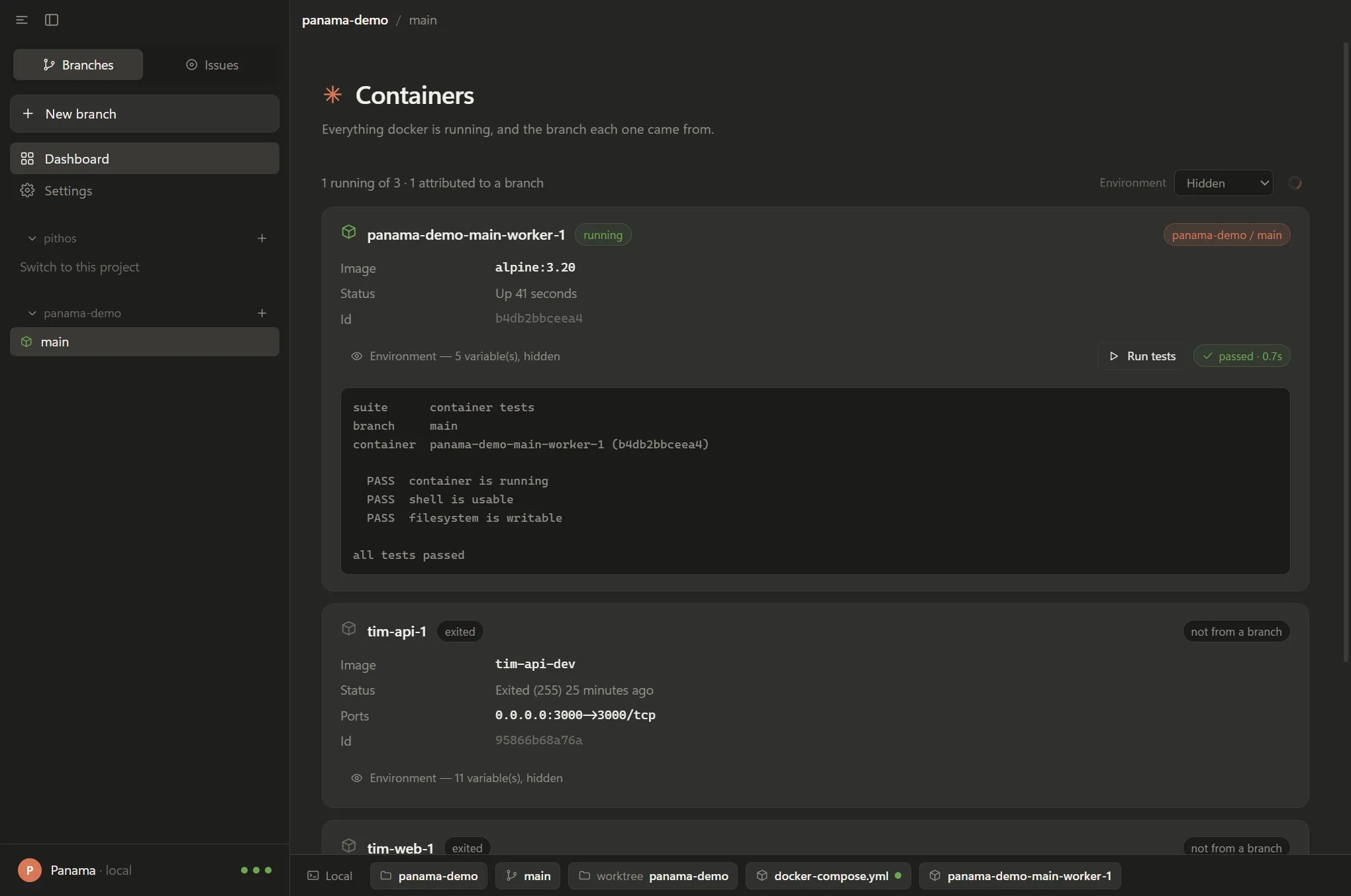
A container card in Panama with a Run tests button, a passed badge reading 0.7 seconds, and the suite output printed below showing three passing checks.
A suite run from the dashboard. Output inline, exit code reported honestly. Containers Panama did not start have no branch to inherit a suite from, so they never show the button.
10

Architecture

One core. The GUI is not the product; it is a second front end.

Both halves call the same use-case module, so they cannot disagree about what an action does. Anything you can click, you can script — and put in CI, or a git hook, or a Makefile.

bin/panama.js        the CLI — argument parsing over the core
src/core/            every operation, no Electron, no terminal
  actions.js         use cases — what both front ends call
  exec.js            process spawning, Windows-safe
  context.js         project + branch → paths, env, container
src/main/            Electron main process and IPC
src/renderer/        React UI

Config is a single JSON file at the OS's standard per-user location, shared by both. The app re-reads it on every call rather than caching, so a branch created in a terminal is not overwritten by a window that was already open.

11

Windows

The unglamorous half of cross-platform, done properly.

Panama resolves executables itself rather than handing strings to a shell. Three specific traps were found and closed during development, each of which produces a confusing failure rather than a clear one.

  • Docker Desktop ships two docker files in the same directory — a 1.3 KB shell script for WSL, and the real 43 MB docker.exe. A naive PATH walk finds the script, which Windows cannot execute. Extension variants now take precedence.
  • npm-installed CLIs are .cmd shims. Node 20.12+ refuses to spawn them without a shell. They are routed through cmd.exe explicitly, with arguments quoted rather than concatenated.
  • shell: true is never used. It splits arguments on spaces — mangling every path under C:\Program Files\ — and turns any value typed into settings into an injection surface.
  • The caption buttons are painted by Windows, not by the app. With the OS title bar hidden, minimise/maximise/close remain native, so no stylesheet can reach them — their colour is declared from the main process and repainted when the theme changes.

The same care is applied to input: long text goes to claude over stdin, never argv, because Windows caps a command line near 32,000 characters and an issue with its comment thread passes that regularly.

Contact Me